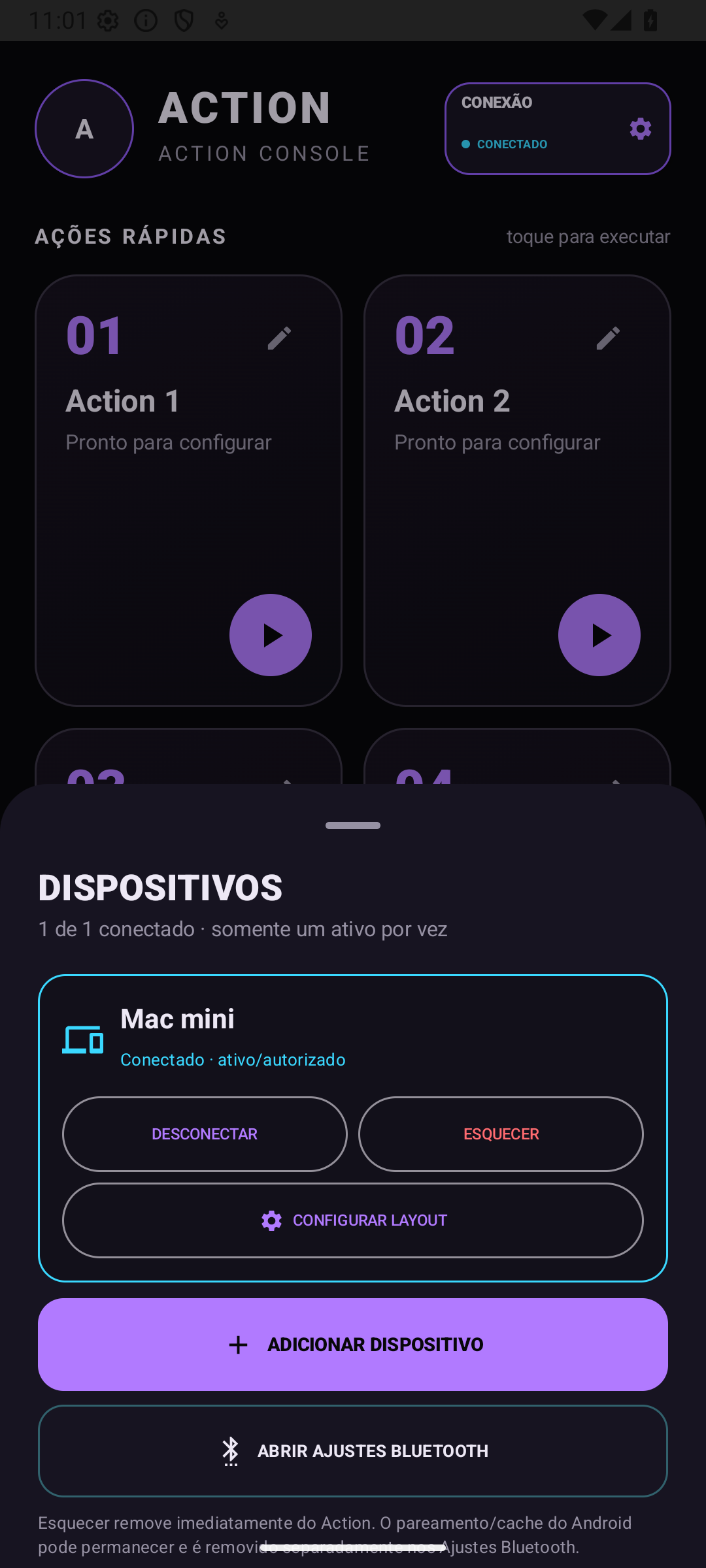
1. Connect your computer
Open CONNECTION → ADD DEVICE. Allow nearby devices and confirm pairing in the phone and computer Bluetooth settings. Only authorize devices you own.
Macros on your phone. Control in your hands.
Create keyboard and mouse macros on your Android phone. Combine commands into a sequence, set the delays and run it on your computer with one tap over Bluetooth HID.
€4.99 · One-time purchase · Coming soon to Google Play
Choose an example
Windows example: copy, switch windows and paste
Illustrative examples. This demo does not send commands and is not an app screenshot.
From your phone to your computer
Pair your Android phone with a compatible device. It receives commands as it would from a Bluetooth keyboard and mouse.
A macro combines multiple commands into a sequence. Add keys, delays, clicks and movements to each of your four Actions.
Run a sequence once or set up repetitions. The Stop All button lets you interrupt execution.
How to use Action
Silent tutorial using real Portuguese app screenshots captured in an emulator. The displayed connection is simulated for demonstration; this is not a real Bluetooth test.
Download video ↓Open CONNECTION → ADD DEVICE. Allow nearby devices and confirm pairing in the phone and computer Bluetooth settings. Only authorize devices you own.
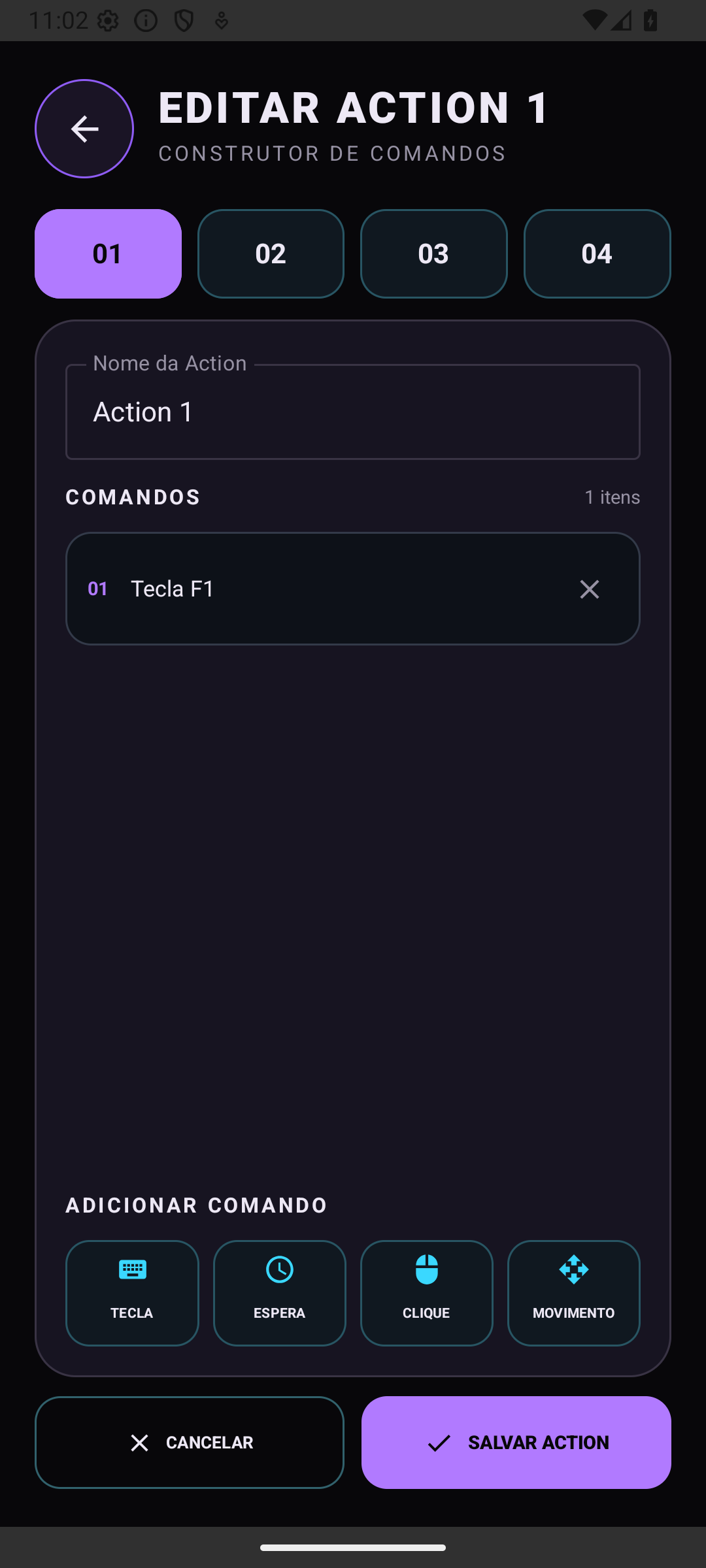
Tap the pencil or EDIT ACTIONS. Choose an Action and a name. Add KEY, WAIT, CLICK or MOVEMENT. For shortcuts, use F1, CTRL+V or CMD+C. Confirm each command, then tap SAVE ACTION.
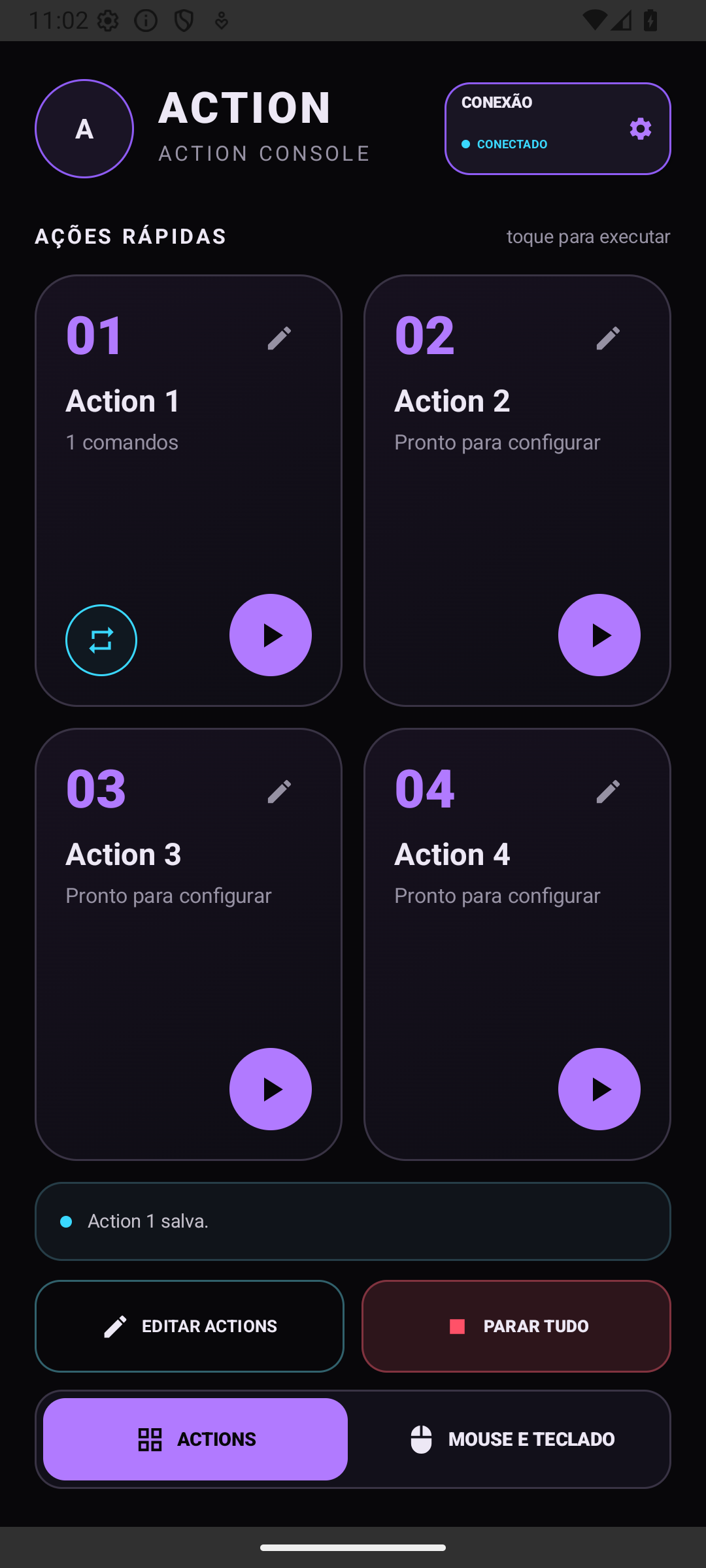
Bring the target window to the foreground on your computer. On your phone, tap ▶ on the configured Action. One Action runs at a time. The pencil edits; the triangle runs.
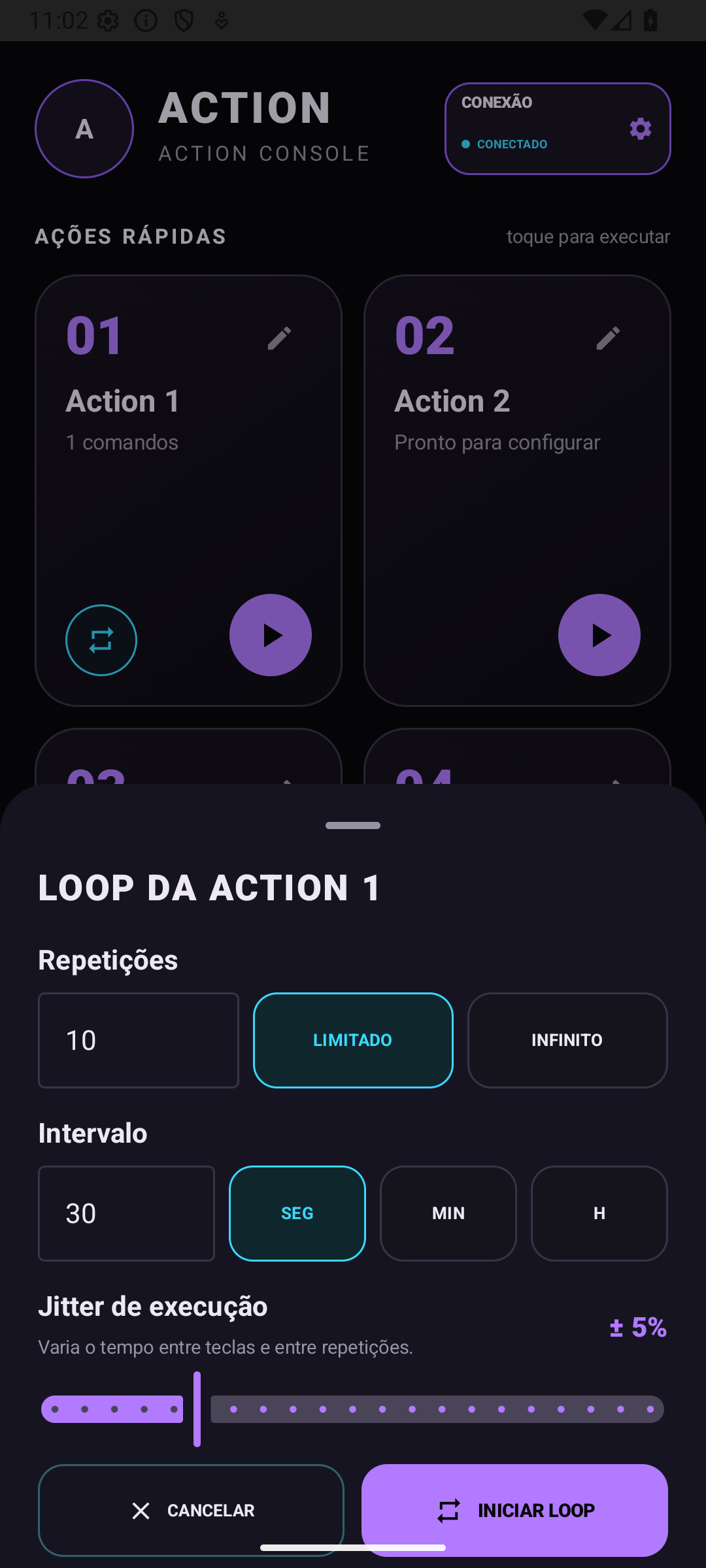
The repeat button appears once commands are added. Choose a count or INFINITE, an interval in seconds, minutes or hours, then START LOOP. Jitter varies timing between keys and repetitions: set 0% to disable it.
STOP ALL interrupts the current Action or loop. In CONNECTION, DISCONNECT ends the connection; FORGET removes the saved device from the app. Android pairing may need separate removal in Bluetooth settings.
Your physical keyboard and mouse keep working. Action adds commands instead of replacing your peripherals. Avoid holding modifiers during a macro: inputs may combine.
In your daily routine
Keep your frequent key combinations and sequences on a panel beside your computer.
Send keystrokes, move the pointer, scroll and use left and right clicks from your phone.
Use shortcuts and sequences in games that support keyboard and mouse input and allow macros. Compatibility depends on the game and device.
Action for Android
Four configurable macros, called Actions, plus keyboard and mouse controls for your compatible devices.
€4.99
One-time app purchase.
Launch preparation is underway. Purchasing is not available yet. Google Play will display the final price for your region.
Contact the developer ↗Before you begin
Action requires Android 9 or later and support for the Bluetooth HID Device profile. The Android version alone does not guarantee support. Your computer must accept Bluetooth keyboard and mouse input. Check compatibility on the store page before purchasing.
No server software is needed. Action sends commands over Bluetooth directly to the device you authorize. Your computer needs compatible Bluetooth support and must allow keyboard and mouse pairing.
Action presents your phone to a compatible device as a Bluetooth HID keyboard and mouse and sends the commands you configure. This enables shortcuts and sequences in games that accept those inputs. HID does not guarantee compatibility, permission to use macros or exemption from game rules. Check the rules of each game, server and competition before use.
Controls are available for TVs and boxes that accept Bluetooth Classic HID. Available keys and functions vary by manufacturer and app. This is not a universal infrared remote, and Bluetooth LE alone does not guarantee compatibility.
When you unlock your phone and bring Action back to the foreground, the app automatically reconnects to the authorized device. You do not need to pair again. Screen pinning and desk mode help keep the panel at hand during use.
The app, with four configurable Actions and manual keyboard and mouse controls. There is no subscription. Launch preparation is still underway and no purchases take place on this page.
No. The app stores settings locally and sends commands to the authorized device over Bluetooth. It has no account, ads, analytics or internet access. Use it only with devices and applications you are authorized to control.
The decision to use Action and configured macros is at the discretion and responsibility of the user. Use it only with authorized devices and applications and comply with the terms of games, servers and platforms. Bluetooth HID does not guarantee that macros are permitted or prevent restrictions or penalties under those rules. To the extent permitted by applicable law, the developer is not responsible for misuse. This notice does not limit consumer rights or liabilities that cannot be excluded by law.